


After almost full of three years of doing business at home, people have more control over their time at home. Except for the endless video conferencing, you can even make use of your spare time for having a coffee or watching a movie/TV show.
Then, here comes the issue: such movies or TV shows are not always encoded in MP4 with good compatibility. Some of them may be encoded in tricky MKV format, which is not compatible with your mobiles, HDTVs, or media players.
These MKV videos desperately need to be converted with a free MKV converter. WinX Video Converter is precisely a versatile and free MKV video converter to take full control over MKV files as well as other videos like video conference screen recordings, camera footage, and more.
WinX Video Converter
Key Features of WinX Video Converter
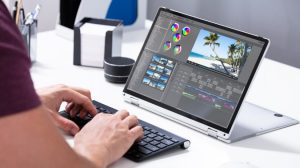

- Accept videos of any sources, be it from online torrent downloads, camera footage, conference screen recording, DVD rips, and more.
- Convert any videos to 420+ preset profiles, including MKV to MP4, MOV to MP4, AVI to WebM, TS to WMV, H.264 to HEVC, etc.
- Directly convert MKV videos to iPhone, iPad, Android phone, HDTV, PS5, Xbox, Mac, Windows PC, and more.
- Compress video file size greatly, up to 90% file size reduction without losing quality visually.
- Using this editing software you can edit your videos, such as trimming video length, cropping video frame size, merging several video clips into one, adding external .srt subtitles, and specifying or disabling the subtitle track.
- Make full use of CPU and GPU to accelerate video conversion speed to 47x real-time faster under the support of hardware acceleration.
How to Convert MKV to MP4 Fast with Highest Possible Quality Reserved?
At the very beginning, you need to download and install the free MKV converter on Windows PC or Mac. It is available on Windows 11/10/8/7 and also in Mac OS X 10.6 or later.


Now, let’s get started for MKV to MP4 conversion.
Step 1: Load MKV source video
Open up the WinX Video Converter on your computer. Take Windows 10 PC as an example. Drag and drop or click the ‘+Video’ button to load your MKV source video. You’re able to import several video clips for batch conversion.
Step 2: Choose MP4 as the output format
After loading, an output profile window pops up, where more than 420 profiles are available. Scroll down to find the ‘General Profiles’, select the ‘MP4 Video’, and click the ‘OK’ button to choose MP4 as the output format.
Step 3: Customize your video if necessary
According to your needs, you can customize your video before converting. Here are some tips for you:
- Tweak video and audio settings: Click on the ‘Settings’ button to enter the parameters adjustment window. Here, you can downscale or upscale the video resolution, change the video frame rate, adjust the video bit rate, convert the aspect ratio of your video and change the audio settings as you need.
- Edit MKV files: By clicking the scissors-shaped Edit button, you are able to trim/cut video, crop video, add external subtitles, and adjust video volume. On the main interface, you can also tick on the box ‘Merge’ to join several video segments into one.
- Select the target track or disable unwanted tracks: On the main interface, click on the drop-down list of video, audio, or subtitle to select your target video/audio/subtitle track or disable multitrack at all.
- Enhance video quality: By ticking on the box ‘Use High Quality Engine’, the free MKV converter can improve the output video quality greatly. Also, you’re able to enhance the video quality by moving the slider to HQ/Slow in the Output profile window. But it will slightly interfere with the video conversion speed.
Step 4: Start converting MKV to MP4 now
Click the ‘Browse’ button to choose an output folder for the output video. Then tap on the blue ‘RUN’ button to start conversion. It will be automatically invoked to relieve the CPU’s strain and speed up the video conversion process if your computer is set up with graphic cards that can do hardware encoding and decoding.
To the bottom line
WinX Video Converter is a solid and free MKV video converter that could solve most format incompatibility issues, not only the MKV videos but also your video conference recordings. It can help you convert, compress and edit videos, no matter you’re going to play such videos on portable or big screen devices, share videos with partners or the public, store oversized videos to capacity limited hard drive, or make a secondary edit of camera raw footage.