

























Running a business remotely sounds flexible until bills start piling up in different folders, invoices go missing in email threads and payment follow-ups begin taking more time than actual work. If you manage your business from home, while travelling, or across multiple locations, billing can quickly become messy without the right system in place.
This is where cloud billing software becomes useful. It lets you create invoices, track payments, manage expenses and monitor cash flow from anywhere with an internet connection. You do not need to sit in one office or depend on one computer to keep your finances organised.
Things to Know About Cloud Billing Software
If you are thinking about using cloud invoice billing software for your business, here are nine things worth knowing before you choose one.
1. Access It from Anywhere
 The biggest benefit of cloud billing software is flexibility. You can log in from your laptop at home, your phone while travelling, or your office desktop. Your data stays synced across devices in real time. That means if you send an invoice from your mobile, your accountant can see it instantly from another location.
For remote business management, this is a major advantage. You are not tied to one machine or office network.
2. Invoice Creation
Most cloud billing tools are built to save time.
You can usually:
- Create GST invoices
- Add customer details
- Apply taxes automatically
- Add discounts
- Share invoices by email or WhatsApp
- Download them as PDF
Many platforms also let you save templates. So instead of typing everything again and again, you can generate invoices in just a few clicks. This is especially helpful if you deal with repeat clients or recurring billing.
3. Real-Time Payment Tracking
 When you manage billing manually, it is easy to lose track of who has paid and who has not. Cloud billing software solves this by showing payment status in one dashboard.
You can quickly check:
- Paid invoices
- Unpaid invoices
- Overdue payments
- Partial payments
- Credit notes
Some tools also send automatic reminders to customers before or after the due date. This reduces manual follow-up and can improve payment collection.
4. Manage Teams Remotely
If your sales team, accountant and operations staff work from different places, cloud billing software keeps everyone on the same page. You can give access based on roles.
For example:
- Your accountant can manage books and taxes
- Your sales staff can create invoices
- Your manager can view reports
- Only you can approve or edit sensitive settings
This avoids confusion and makes collaboration easier without endless calls or document sharing.
5. Data Security
 A common concern is whether cloud billing software is safe.
Most trusted providers now offer:
- Encrypted data storage
- Secure login protection
- Automatic backups
- Role-based permissions
- Multi-factor authentication
Because data is stored online, it is also protected from local system failures. If your laptop crashes, your billing records usually remain safe in the cloud.
6. GST and Tax Compliance
For Indian businesses, tax compliance matters a lot.
Many cloud billing platforms now support:
- GST invoice generation
- HSN or SAC code setup
- Tax calculation
- E-invoicing integration
- GST return-ready reports
This reduces manual calculation errors and helps you stay organised during filing season.
7. Better Financial Visibility

Billing software helps you understand how your business is performing.
Most platforms offer reports such as:
- Monthly sales summary
- Outstanding receivables
- Profit and loss overview
- Expense tracking
- Tax reports
- Customer payment history
If you run your business remotely, these insights become even more useful because you may not always be physically involved in daily operations.
8. Automation
One of the strongest reasons businesses move to cloud billing is automation.
You can automate tasks like:
- Recurring invoices
- Payment reminders
- Subscription billing
- Tax calculations
- Report generation
- Payment receipt confirmations
This saves hours every month. Instead of spending time on repetitive admin work, you can focus more on clients, sales or growing the business.
9. Integration with Other Tools
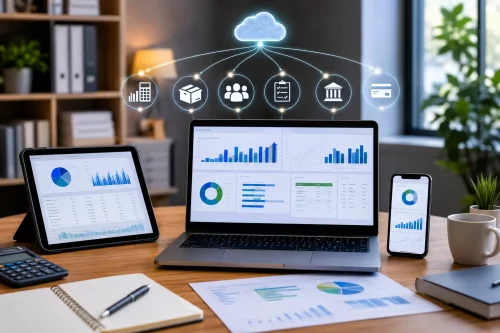 Good cloud billing software rarely works alone.
Many businesses also use:
- Payment gateways
- Inventory software
- CRM platforms
- Accounting tools
- Payroll systems
- Banking apps
For example, if a customer pays online through a payment gateway, the invoice can automatically be marked as paid. That removes manual entry and reduces mistakes. Before choosing software, always check what integrations are available.
Final Thoughts
If you run your business remotely, cloud billing software can make daily operations much smoother. It helps you invoice faster, stay on top of payments, collaborate with your team and keep your records organised without needing to be in one physical office.
If your business is growing and manual billing is starting to feel difficult to manage, moving to the cloud may be one of the simplest upgrades you can make.